
.png)
.png)

.png)
.png)


Best Gaming PCs for Streaming
Last reviewed: October 2026 - Chillblast team
A good streaming PC is an NVIDIA RTX machine (its NVENC encoder chip runs the stream while the processor runs the game), 32GB of memory - game, OBS, alerts, chat and browser scenes coexist and 16GB is where streams stutter- and cooling quiet enough to sit beside an open microphone.
| 1080p gameplay, 1080p60 stream | View details | View product | |||
| 1440p gameplay, 1080p60 stream | View details | View product | |||
| 1440p high-refresh + camera-heavy scenes | View details | View product | |||
| 4K gameplay while broadcasting, or record-and-stream at once | View details | View product | |||
| Silent beside the mic / flagship dual-use | View details | View product |
What actually makes a PC good for streaming?
Encoding video live is a continuous, never-idle workload - unlike a benchmark burst, the encoder runs for the entire session. Two architectures handle it. Software (x264) encoding loads many CPU cores and needs a high-core chip to coexist with a modern game. Hardware (NVENC) encoding runs on dedicated silicon on NVIDIA RTX GPUs, leaving the CPU free for the game- for most 2026 streamers, an RTX GPU plus 32GB of memory is the practical recipe, and CPU core count is no longer the streaming bottleneck. (NVENC quality at a standard 1080p60 output is widely treated as sufficient; check Twitch's and OBS's current recommended settings before going live.)
What specs do I need for each streaming tier?
| 1080p60, single cam |
1080p, casual gaming
|
View details | View product | ||
| 1080p60 |
1440p high setting gaming
|
View details | View product | ||
| 1440p output |
1440p high-refresh gaming
|
View details | View product | ||
| Camera-heavy scenes, 4K play |
4K gaming
|
View details | View product |
Two warnings the comparison tables usually skip. First, 16GB is the tight spot: the entry-tier builds above ship 16GB and game fine on it, but a game plus OBS, alerts, browser dock and Discord exhausts it - configure the 32GB option (or buy a tier that ships 32GB). Second, a cheaper neighbour exists - the Ryzen 5 RTX 5070 Pre-built at £1,799.99 - but it also ships 16GB, so it only earns its place with the memory upgrade specified at order.
Do I need a separate streaming PC?
No. NVENC-era single-PC streaming is the 2026 default for most creators. A second encoding PC earns its cost only when you want maximum in-game settings with zero encoding share, or failover redundancy for a partnered channel. If the budget is £2,200–£2,900, spend it on one machine at the tiers above and keep the difference. A capture card enters the picture only when a second device's video (console, second PC, high-end camera) goes into OBS - a PC that plays the game and encodes the stream never touches one.
What's the best PC for streaming and gaming with an RTX 5090?
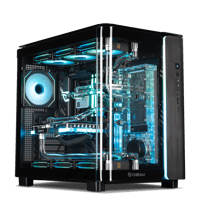
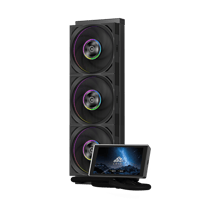
At the top tier the argument stops being frame rates and becomes encoder headroom and silence. A single NVENC chip is ample for one 1080p60 output; simultaneous high-bitrate 4K recording plus a live encode, multi-platform output, or a capture-heavy OBS scene stack is where RTX 5090-class cards - and the cooling to sustain them - matter. It's also the tier where a custom loop beats air next to a microphone: Chillblast's water-cooled line is sold on remaining "near-silent even when you're pushing your PC to its limits"
All carry the five-year warranty standard across Chillblast PCs (three years collect-and-return including parts and work, two further years of work cover return-to-base). Browse the full RTX 5090 PC range; the AMD Ryzen gaming PCs guide explains the X3D cache these builds use.
Do I need a water-cooled PC for streaming?
Not for a single 1080p60 output - a well-cooled £2,199.99 air or AIO build handles that. Water cooling answers two different problems: sustained heavy encodes without the fans audibly ramping next to an open mic, and thermal headroom for 5090-class hardware under hours-long load. If the microphone can hear the case, the cooling choice becomes an audio choice.
Is an RTX 5090 overkill for streaming?
For one 1080p60 stream and 1080p–1440p gameplay, yes - a 5070-class card encodes it fine and the money is better spent on the memory and the microphone. The 5090 tier is for 4K gameplay plus capture, simultaneous recording and broadcasting, multi-platform output, or creator workloads that share the machine.
How fast can I get a streaming PC?
Badge-per-badge, the honest version: the Express pre-built tiers marked next-day (the RTX 5060, RTX 5070 and 9600X builds above) ship the next working day when ordered before 5pm; the 5060 Ti build currently dispatches within 2–3 days; other fixed and configured builds are assembled, tested and delivered within 7 days; custom-loop flagships are built to order with lead times quoted on their pages. Finance through our credit partner is available on orders over £1,000 with the options shown per product page - the 5060 Ti build carries a 0% APR offer today, shown on its page.
Does streaming damage a gaming PC?
Sustained encoding raises long-load thermals, which is a cooling question, not a wear question. Two practical answers: pick a build with adequate AIO or liquid cooling for the chip (the PC cooling guide matches cooler types to load classes), and rely on the system warranty - every Chillblast PC carries a five-year warranty with UK-based support.
What else do I need for streaming besides the PC?
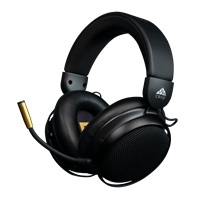
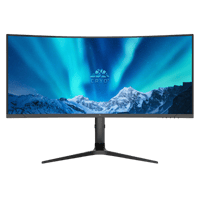
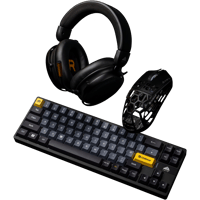
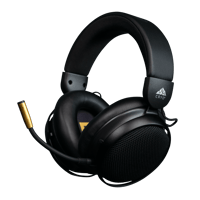
In Chillblast's range and verified on the product pages: the Cryo Sync wireless headset for monitoring and comms; Cryo Vision monitors - the 32" 4K 165Hz or the dual-mode 27" (4K?FHD high-refresh) - one panel for gameplay plus OBS dashboards; and Cryo Base mouse pads. Capture cards, cameras, lighting and microphones are not currently stocked - buy those from the specialist sellers and budget for them alongside the PC.
Common streaming-PC buying mistakes
1. Running on 16GB because a gaming-only benchmark passed it - game plus OBS, alerts, browser sources and Discord exhausts it; 32GB minimum, specified at order.
2. Paying for CPU cores for x264 when NVENC is on the table -wrong-era advice still dominates forums.
3. Buying a second monitor before checking encoder settings - one screen with OBS on a second virtual desktop works; dual panels help later.
4. Ignoring upload bandwidth - check Twitch's and OBS's current recommended bitrates for your output; a £2,849.99 PC can't fix a thin line. Use Ethernet, not Wi-Fi, on the stream machine.
5. Streaming from a loud air-cooled tower under the desk next to the mic - fan noise becomes the reason the stream sounds amateur.
6. Choosing the flagship card over the flagship encoder settings - an RTX 5090 with a sloppy scene setup still looks sloppy.