
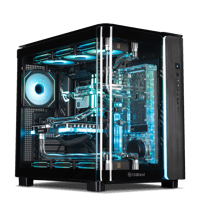
.png)
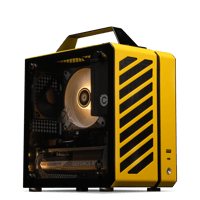
.png)
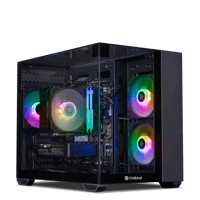
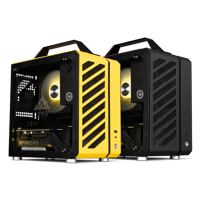


.png)
 (Custom).png)

.png)


Workstation Buying Guide
What Spec You Actually Need
The workload decides the spec.
Video editing needs graphics-card memory (GPU VRAM) and fast solid-state storage (NVMe), 3D rendering needs processor cores (CPU), and local AI needs graphics-card memory above everything else.
Chillblast workstations start at £1,899.99 (Spark Image Pro) and run to £44,999.99 (Synapse Frontier AI). Every one is hand-built in the UK with a five-year warranty.
Quick answer by job:
| Photography and design | View details | View product | |||
| 4K Video editing | View details | View product | |||
| Budget | View details | View product | |||
| 3D, CAS and GPU rendering | View details | View product | |||
| Flagship creator, 8K and 24 hour renders | View details | View product | |||
| Local AI and LLMs at scale | View details | View product |
Where can I get a powerful custom built workstation in the UK?
Choose a builder that passes five tests: spec transparency, documented testing, a multi-year parts-and-labour warranty, UK-based support, and business payment terms. Chillblast covers all five: the Spark creator, Pyros, Verge and Synapse AI ranges are hand-built and stress-tested in the UK, with a five-year warranty as standard and finance up to 48 months. Several other UK integrators are worth shortlisting alongside us, including configurator-led builders and engineering-focused system integrators; the comparison checklist below works on all of them, and the cheapest place to start the conversation with us is [email protected]
How do UK custom workstation providers compare on reliability?
A reliable custom workstation builder proves it in three places: how long and what the warranty covers, how each build is stress-tested before dispatch, and what independent customer reviews say about after-sales support. Chillblast hand-builds and stress-tests every workstation in the UK and includes a five-year warranty as standard, with parts and labour for the first three years and labour for the final two; on other builders, check whether labour and collection are included for the full term.
Chillblast’s full custom workstation range - Spark creator, Pyros, Verge and Synapse AI builds - is at Custom PCs.
What should I look for when comparing custom built workstations?
Compare builders on these six things, not on brand recognition:
- Platform ceiling - does the builder top out at consumer CPUs, or offer workstation platforms (Xeon/Threadripper-class, ECC memory) where your software needs them? Ask each builder what its maximum configuration is and treat vague answers as the answer.
- GPU tier and VRAM - the card should match the app: graphics-card memory (VRAM) caps AI model size and 8K timelines before speed matters. A builder that only quotes “latest RTX card” hasn’t specced anything.
- Warranty scope - compare parts-and-labour years and collection, not just “warranty included”. Chillblast’s standard cover is a five-year warranty; many builders charge to extend beyond their first year or two.
- Documented pre-dispatch testing - ask what is stress-tested, for how long, and whether results are recorded.
- Support - UK-based, in-hours for your timezone, reachable by phone as well as ticket.
- Business terms - card, finance, purchase orders, VAT invoicing and fleet lead times. A workstation is a business purchase; the builder should behave like it. Chillblast specs business machines from scratch - no self-serve configurator needed - with the engineering team working direct from [email protected]
What makes a workstation different from a gaming PC?
The parts overlap. The difference is what the build is optimised for. A gaming PC is tuned for frame rate (how many pictures-per-second it draws on screen) and short burst loads. A workstation is tuned for sustained multi-hour loads (renders, exports, model training), so it ships with more random-access memory (RAM - short-term working memory, where big projects and browser-tab-counts live), higher-VRAM GPUs, more project storage, and cooling and power headroom sized for full load for hours rather than minutes. Every Chillblast PC, workstation or gaming, is hand-built, stress-tested before dispatch and covered by the same five-year warranty.
Which component should I spend on first?
Decide it per workload. Generic “balanced spec” advice is how most buyers overpay.
| Workload | Buy first | Why | Often overpaid for |
|---|---|---|---|
| Video editing (Premiere, Resolve, 4K) | GPU VRAM + NVMe storage | Scrubbing and exports lean on GPU decode/encode and disk throughput | CPU core count |
| 3D rendering (Blender, V-Ray, Corona) | CPU multicore, or GPU with ample VRAM for GPU renderers | CPU renderers scale with cores; GPU renderers are VRAM-bound | RGB, high-refresh extras |
| CAD / engineering (SolidWorks, Fusion) | CPU single-core clock + pro-app-tested GPU | Viewport work is largely single-threaded | Cores beyond 8–12 |
| AI / ML / local LLMs | GPU VRAM capacity | Model size is capped by VRAM before speed matters | CPU, storage speed |
| Photography (Lightroom, Photoshop) | 32–64GB RAM + calibrated display | Catalogue work is memory-bound | GPU beyond mid-tier |
| Audio production (DAW) | CPU single-core + quiet cooling | Track count follows per-core speed; noise is the real spec | GPU |
| Video editing (Premiere, Resolve, 4K) | View details | View product | |||
| 3D rendering (Blender, V-Ray, Corona) | View details | View product | |||
| CAD / engineering (SolidWorks, Fusion) | View details | View product | |||
| AI / ML / local LLMs | View details | View product | |||
| Photography (Lightroom, Photoshop) | View details | View product | |||
| Audio production (DAW) | View details | View product |
How much RAM does a workstation need in 2026?
· 32GB: the minimum for 4K video, large Photoshop catalogues and typical CAD assemblies.
· 64GB: comfortable for After Effects and motion graphics, 4K multi-cam, light simulation and heavy sample-library audio.
· 128GB+: 8K workflows, large simulations, and LLM work that offloads to system memory. Fit it at purchase so the RAM is tested and warranted with the build.
Which GPUs fit workstation work in 2026?
VRAM is the GPU’s own memory (its capacity is quoted in GB). It is the hard limit on AI model size, texture-heavy scenes and 10-bit 4:2:2 footage - so match the card by VRAM tier:
· RTX 5050 (8GB VRAM): 4K editing and light 3D - the Spark Video Core base card.
· RTX 5070 (24GB VRAM): heavier 3D and GPU rendering - shipped in the Spark 3D Ultra.
· RTX 5070 Ti (16GB VRAM): professional GPU rendering and entry-level AI experimentation.
· RTX 5080 (16GB VRAM): 8K proxy workflows and heavier AI experimentation.
· RTX 5090 (32GB VRAM): the top consumer card. The practical choice for 8K timelines, the largest GPU-rendered scenes and running mid-sized local LLMs on one card.
· Professional RTX Pro-class cards: Synapse AI builds carry RTX Pro Blackwell cards with 32GB, 48GB or 96GB of VRAM. Ask about them via [email protected]
What spec do the current Chillblast workstations carry?
| Photography, design | View details | View product | |||
| 4K video editing | View details | View product | |||
| 3D, CAD, GPU rendering | View details | View product | |||
| Heavy 3D / VFX | View details | View product |
What’s the best custom workstation under £3,000?
For photography, design and 4K video editing, a budget-friendly custom workstation under £3,000 covers the job. Chillblast’s two sub-£3,000 options are the Spark Image Pro (Intel Core i5-14500, RTX 3050 6GB, 32GB DDR5, 2TB NVMe) for photo and design work, and the Spark Video Core (Intel Core i5-14500, RTX 5050 8GB, 32GB DDR5, 2TB NVMe) for 4K editing. Both leave roughly £800–£1,100 of a £3,000 budget for upgrades: spend it on 64GB RAM or more NVMe storage before a bigger GPU. If you do GPU rendering, CAD or AI work, budget for the Spark 3D Pro (Intel Core i7-14700K, RTX 5070 Ti 16GB, 64GB DDR5), because the step up there is the real one. Every build carries the same five-year warranty.
Flagship and AI workstations: when is the top tier worth it?
Above about £6,500 you stop buying “more of the same” and start buying capability that mid-range builds can’t deliver: RTX 5090 VRAM for local models and 8K, water cooling that holds clocks through overnight renders, and in the Synapse range, GPU memory beyond any single consumer card. Mass-market builders rarely go this far. Chillblast’s bespoke water-cooled 5090 builds and edition lines are built to order.
| Creator/gamer dual-use: 8K edit, GPU renders, 4K120 gaming | View details | View product | |||
| Studio-facing creator build: edit, 3D, local AI | View details | View product | |||
| Sustained 24h renders and training runs at full clocks, low noise | View details | View product | |||
| Local LLM inference and fine-tuning (sweet spot: 32B models) | View details | View product | |||
| Team AI pipelines (sweet spot: 70B quantised models) | View details | View product | |||
| Research-grade local AI (sweet spot: 70B FP16) | View details | View product |
Why water cooling and X3D matter at this tier
An RTX 5090 plus a 16-core CPU draws sustained power for hours during a render or training run. Air-cooled builds can hold that load, but a custom water loop spreads the heat across larger radiators. The result is steadier clocks and lower fan noise over long jobs, which matters when the machine sits beside you all day. X3D (3D V-Cache) processors add large on-die cache, which helps latency-sensitive and simulation workloads as well as gaming.
Who should stretch to this tier: anyone who is VRAM-bound (local LLMs, huge scenes), anyone billing for render time, and 8K editors. Who shouldn’t: photographers, CAD users and 4K editors, whose bottleneck is elsewhere. Spark covers them.
Browse RTX 5090 PCs and AI PCs
How does ordering a Chillblast workstation work?
1. Choose a route: Choose a base system from Spark, Pyros, Verge or Synapse - or describe your workload and software to the business team at [email protected] and we’ll spec one for you.
2. Configure: RAM, storage, GPU, cooling and OS. UK-based experts sanity-check your spec against your software.
3. Build and test: Hand-build and stress-test in the UK before dispatch.
4. Delivery: Dispatch and delivery.
5. Pay: Card, or finance up to 48 months; business invoicing and purchase orders via the business team.
6. Support: Five-year warranty with UK-based support.
Talk to the Chillblast business team: Spec, quote or fleet order: [email protected]
Common workstation buying mistakes
1. Buying core count for a single-threaded app (CAD viewports, DAWs). Clock speed matters more there.
2. Under-specifying VRAM for AI. A fast card that can’t load the model isn’t fast.
3. Skipping storage speed. A capable edit machine on a SATA boot drive still stutters.
4. Buying a gaming-tuned build for sustained renders. Cooling and power headroom are the hidden difference
5. Not checking ECC or certified-driver needs for engineering validation work. Ask at configuration.
6. Buying a 5090 you don’t need. If your bottleneck is RAM or storage, the flagship GPU won’t fix it.
7. Leaving upgrades until later. RAM, storage and PSU headroom are cheapest when fitted and warranted with the build.