
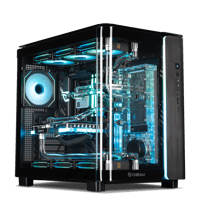
.png)
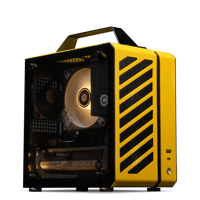
.png)
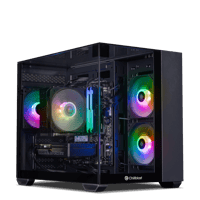
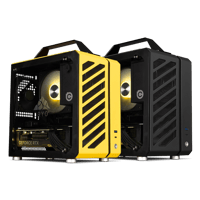

.png)
.png)


PC Cooling Buying Guide
Last reviewed: October 2026 - Chillblast team
Choose PC cooling by heat load and how much noise you will accept. A tower air cooler suits 6-core processors (CPUs); a 240mm all-in-one liquid cooler (AIO) suits mid-range gaming; a 360mm AIO suits 8- and 16-core chips paired with a high-end graphics card (GPU); a custom water loop cools CPU and GPU together, quietest under sustained load.
| Under £1,500 | View details | View product | |||
| Under £2,000 | View details | View product | |||
| High-end gaming | View details | View product | |||
| RTX 5090 on an AIO | View details | View product | |||
| Lowest nouse under sustained load | View details | View product |
What is the difference between air, AIO and custom-loop cooling?
All three move heat from the CPU into the air. An air cooler uses copper heat pipes and a finned heatsink with a fan. An AIO pumps sealed, factory-filled liquid from a CPU block to a radiator. A custom loop circulates coolant through water blocks on the CPU and GPU, a pump, a reservoir and radiators.
| Air cooler | AIO liquid cooler | Water cooling | |
|---|---|---|---|
| How it works | Heat pipes, heatsink and fan on the CPU | Sealed pump block, tubes and radiator for the CPU | Water blocks on CPU and GPU, pump, reservoir, radiators |
| What it cools | CPU | CPU | CPU and GPU |
| Strengths | No pump, nothing to leak, low cost | More heat capacity, radiator moves heat to a case fan position | Most heat capacity, fewest and slowest fans for the load |
| Trade-offs | Bulky tower; limits on the hottest CPUs | Pump is an extra moving part | Highest cost; needs scheduled servicing |
| Upkeep | Dust the fins and fan | Dust the radiator; never refilled | Coolant flush and clean every 12 months |
Which type of cooler does my processor need?
Match the cooler to the heat your CPU produces under sustained load. Six-core gaming processors run comfortably on a good tower air cooler or a 240mm AIO. Eight-core X3D chips paired with an RTX 5070 Ti or above suit a 360mm AIO. Sixteen-core processors with an RTX 5090 need a 360mm AIO at minimum, or a custom loop.
When a CPU or GPU gets too hot it lowers its own clock speed to protect itself. That is thermal throttling: the PC keeps working, but slower and usually louder. The GPU matters too, because a high-end card dumps its heat into the system and warms the air every other cooler breathes. Chillblast fits a 360mm AIO or a custom loop to every RTX 5070 Ti, RTX 5080 and RTX 5090 system.
What radiator size do I need: 240mm, 360mm or a custom loop?
Radiator size sets how much heat an AIO can shed at a given fan speed. A 240mm radiator carries two 120mm fans; a 360mm radiator carries three. More radiator area lets the fans spin slower for the same heat, which is quieter. Choose 240mm for 6-core builds, 360mm for 8-core and above.
1. 240mm: the Cryo Storm 240 uses two 120mm fans, as fitted to the Ryzen 5 RTX 5060 Ti.
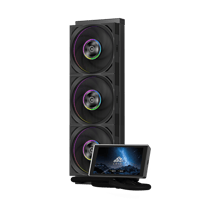
2. 360mm: the Cryo Storm 360 radiator measures 394mm long, 120mm wide and 27mm thick, with three 120mm Cryo Blast Z3 fans.
3. Beyond 360mm: a custom loop can use more than one radiator and cools the GPU as well as the CPU.
How loud is each type of PC cooling?
Cooling noise comes mainly from fan speed, then pump hum. Manufacturers rate fan noise in A-weighted decibels (dBA), a scale weighted to how loud sound seems to the ear.
| Cryo product | Rated fan noise (dBA) | Fan speed (RPM) | Airflow (CFM) |
|---|---|---|---|
| Cryo Storm | 15-33.1 | 1500/2200/3000 (three settings) | 55/65/83 |
| Cryo Blast Z1 | 15-30 | 600-1800 | 52 |
| Cryo Blast Z3 | 15-33.1 | 500-3000 | 55/65/83 |
| Cryo Blast HP120 | 15-42.7 | 500-3000 | 63/82/114 |
RPM is revolutions per minute; CFM is airflow in cubic feet per minute. The Cryo Storm pump runs at 2600 RPM on an all-ceramic bearing. These are per-fan ratings, not a measurement of a complete PC, which also has GPU and power-supply fans. The quietest PCs pair large radiators with slow fans; a custom loop goes furthest, because water carries heat better than air, so it needs fewer, slower fans.
Does better cooling make a PC faster or last longer?
Better cooling keeps a PC at full speed for longer; it does not add speed beyond what the parts are rated for. Once a cooler holds the CPU and GPU clear of throttling, extra cooling capacity buys lower noise and steadier clocks instead. That matters most for long gaming sessions, rendering and video exports.
A short benchmark rarely heats a system through; a three-hour render or an evening of gaming does. Custom loops hold more coolant than an AIO, so temperatures rise more slowly and stay flatter under hours of load. Lower running temperatures also reduce heat stress on components over the years.
How much maintenance does each cooling type need?
Air coolers and AIOs need dusting; custom loops need servicing. Clean the fins, fans and radiator every few months, more often with pets or carpets. An AIO is sealed and never refilled. A custom loop needs its coolant flushed and replaced and its blocks cleaned roughly once a year, which Chillblast includes as standard on its water-cooled PCs.
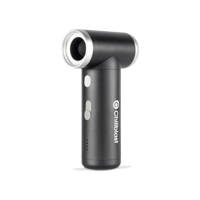
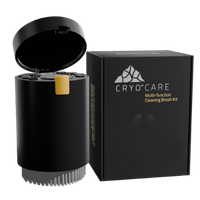
1. Air: blow dust out of the fins and fan. The Cryo Care cleaning kit (£14.99) and Cryo Blade air duster (£38.99) cover this.
2. AIO: dust the radiator and fans. The pump is the one wear part an air cooler does not have.
3.Custom loop: every 12 months Chillblast flushes, cleans and re-tests its water-cooled PCs as standard. The Watercooled Care Plus package (£499.99) adds a full strip-down, fresh coolant, radiators and water blocks removed and cleaned, new thermal pads and compound, replacement pipework if discoloured, and door-to-door collection and return.
Is an AIO liquid cooler the same as a water-cooled PC?
No. An AIO is a sealed liquid cooler for the CPU only. A water-cooled PC, in Chillblast's range, means a fully custom loop: water blocks on the CPU and GPU, a pump, reservoir and radiators fitted component by component. Chillblast's AIO systems are listed as AIO; only the custom-loop systems are called water-cooled.
Are boutique-built PCs cooled better than mass-market PCs?
Not automatically: cooling depends on the parts and the layout, not the label. Boutique-built and custom-built PCs can be specified with larger radiators, better fan placement and named coolers, while mass-market PCs are designed around price targets and standardised layouts. Compare the specific cooler, radiator size and testing, not the type of seller.
| What to compare | What good looks like | Why it matters for cooling | |
|---|---|---|---|
| Cooler named on the spec sheet | A model and size you can look up | An unnamed "liquid cooler" can be any radiator size | Value Four |
| Radiator size for the heat load | 360mm or a custom loop with an 8-core X3D or 16-core CPU and RTX 5080/5090 | Undersized radiators run fans fast and loud | |
| Fan layout | Planned intake and exhaust around the radiator | GPU heat recirculates in a poorly ventilated system | |
| Power-supply headroom | Wattage and 80 Plus rating published | A PSU near its limit runs hot and loud | |
| Stress testing | Every complete system tested under load before dispatch | Catches a cooling fault before delivery | |
| Standard parts | Off-the-shelf fans, radiators and boards | Proprietary parts are harder to clean, repair or upgrade |
Which Chillblast PC has the right cooling for my budget?
Pick the tier by GPU first, then check the cooler matches it. Chillblast fits tower air coolers to entry systems, a Cryo Storm 240 to the RTX 5060 Ti build, 360mm AIOs from the Crimson upwards and custom loops to the RTX 5090 flagships. Every specification below is published on the system's product page, where prices update in real time.
| Air | View details | View product | |||
| 240mm AIO | View details | View product | |||
| 360mm AIO, under £2,000 | View details | View product | |||
| 360mm AIO | View details | View product | |||
| 360mm AIO | View details | View product | |||
| 360mm AIO | View details | View product | |||
| 360mm AIO + extra Cryo fans | View details | View product | |||
| 360mm AIO, RTX 5090 | View details | View product | |||
| Custom loop | View details | View product |
Compact builds use air too: the Cryo Core portable PC pairs a low-profile cooler with Precision Airflow, channels that guide air around the CPU socket.
Should I upgrade my PC's cooler or buy a system that is already cooled?
Upgrade the cooler if your CPU throttles or the fans are loud and the rest of the PC still meets your needs. Buy a complete system if you also need a faster GPU or CPU, because a new cooler cannot add performance the parts do not have. Cooling is the one component Chillblast sells separately.
The Cryo Storm 240 and Cryo Storm 360 fit Intel LGA115X, 1200, 1700 and 1851 and AMD AM4 and AM5 sockets. Bundles with the Cryo Display, a 5-inch screen showing CPU temperature, GPU load and fan speeds, the cooler bundle builder adds fans and thermal paste.
What should I check before buying a PC for its cooling?
Five checks separate a well-cooled PC from one that only looks the part, wherever you buy: a named cooler sized for the parts, testing under sustained load, vetted components, a warranty that covers labour for years, and delivery and servicing terms you can plan around. Compare builders on those, not on lighting.
1. A named cooler sized for the parts. Look for the cooler model and radiator size on the spec sheet; every Chillblast system page lists both.
2. Vetted parts, tested systems. Chillblast works only with component partners whose quality values and testing processes match its own, then stress-tests every complete PC.
3. Labour years, not just warranty length. Chillblast's five-year warranty covers 3 years parts and labour on a collect-and-return basis, then 2 years labour on a return-to-base basis (warranty terms).
4. Delivery you can plan around. Every non-water-cooled Chillblast system is built and delivered within 7 days of order, or the next working day where the product page shows the next-day badge (the Forge, Galvanic, Gelidus and Nova do). Custom-loop systems are quoted individually.
5. A servicing plan for liquid. Ask who services a custom loop and how often; Chillblast includes an annual flush, clean and re-test on its water-cooled PCs.