
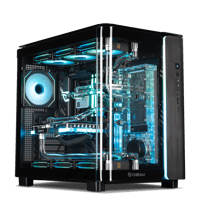
.png)
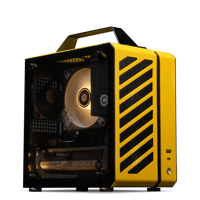
.png)
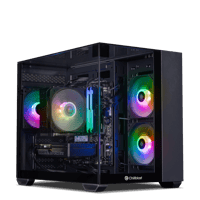
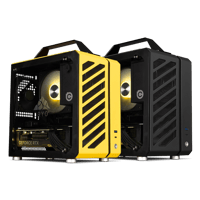




.png)

.png)


3D Rendering and VFX Workstation Buying Guide
Last reviewed: October 2026 - Chillblast team
Choose a 3D workstation by renderer and scene size. GPU renderers such as Blender Cycles, Redshift and Octane need graphics-card memory (GPU VRAM) first; CPU renderers need processor (CPU) cores and cooling that holds them. The Spark 3D Pro suits most professionals; RTX 5090 (32GB) and RTX PRO 6000 (96GB) builds handle the biggest scenes.
| Learning and light scenes | View details | View product | |||
| Professional 3D | View details | View product | |||
| Dual-GPU final rendering | View details | View product | |||
| Big GPU scenes | View details | View product | |||
| Beyond 32GB | View details | View product |
What matters more for 3D work: viewport speed or final render speed?
They are different jobs with different bottlenecks. Viewport speed (moving, sculpting and animating a scene interactively) depends on one fast GPU and high CPU clock speed. Final render speed depends on GPU throughput and VRAM for GPU renderers, or on CPU core count for CPU renderers. Work out which one costs you more time, then buy for it.
| Task | Mainly limited by | Buy first | |
|---|---|---|---|
| Viewport, modelling, animation playback | One GPU + CPU clock speed | A strong single GPU, a high-clock CPU | Value Four |
| GPU final render (Cycles, Redshift, Octane, V-Ray GPU) | VRAM, then GPU speed | VRAM that fits the scene | |
| CPU final render (V-Ray CPU, Corona, Arnold CPU) | CPU cores held at speed | Core count + sustained cooling | |
| Real-time engines (Unreal Engine, Twinmotion, D5) | One GPU's VRAM and speed | The biggest single GPU you can afford | |
| Simulation (Houdini, cloth, fluids) | CPU cores + RAM | Cores and 64GB+ of RAM |
Why do CUDA and OptiX matter when choosing a 3D graphics card?
CUDA is NVIDIA's general-purpose GPU computing platform; OptiX is NVIDIA's ray-tracing engine, which uses the dedicated ray-tracing cores on RTX cards. Most production GPU renderers are built first for NVIDIA hardware, so an NVIDIA RTX card is the safe default for 3D, and OptiX is usually faster where a renderer offers both.
In Blender Cycles, OptiX is normally the quicker choice on an RTX card and also drives the viewport denoiser; CUDA is the fallback if a feature misbehaves. Redshift, Octane and V-Ray GPU are built around NVIDIA's platform, so every system in this guide uses a GeForce RTX or RTX PRO card.
How much graphics memory (VRAM) do my 3D scenes need?
VRAM decides whether a GPU render runs at all. The scene's geometry, textures and lighting data must fit in the card's memory; if they do not, the render fails or falls back to much slower paths. Size the card to your heaviest scene with at least 50% headroom, and treat 16GB as the professional floor.
| Learning, product shots, light Cycles scenes |
12GB
|
View details | View product | ||
| Professional GPU rendering, most freelance work |
16GB
|
View details | View product | ||
| Heavy Redshift/Octane scenes, 8K textures, Unreal Engine archviz |
32GB
|
View details | View product | ||
| Film-scale assets, dense environments |
48GB
|
View details | View product | ||
| The largest production scenes |
96GB
|
View details | View product |
Is a multi-GPU workstation worth it for rendering?
Multi-GPU pays off for final-frame GPU rendering, where Cycles, Redshift, Octane and V-Ray GPU split work across cards. It does not speed up the viewport, and VRAM does not add up: in most GPU renderers each card holds its own copy of the scene, so two 12GB cards still render only a 12GB scene, just faster.
The listed example is the Spark 3D Ultra: two RTX 5070 cards (24GB in total, 12GB per card), a 24-core Core i9-14900K and a 1600W 80 Plus Platinum power supply (PSU) sized for both. A scene that needs 20GB calls for one larger card, such as the RTX 5090, instead. Three or more high-end cards need power supplies beyond 1600W, cooling for several cards running for hours, and the extra PCIe lanes Threadripper platforms provide, so those builds are specified per project.
Does a 3D workstation need ECC memory?
Error-correcting (ECC) memory detects and fixes single-bit memory errors before they corrupt a result. It matters most for long unattended jobs: multi-day simulations, overnight render queues, anything that cannot easily be re-run. For a freelance artist rendering frames that can be re-rendered, standard memory is the norm and the better value.
NVIDIA's RTX PRO cards offer ECC graphics memory. ECC system memory needs a supporting platform, in practice a Threadripper-class workstation such as the Synapse Nexus or Frontier; the Spark 3D listings specify standard desktop DDR5. If your pipeline requires ECC system memory, state it at order.
Which CPU, how much RAM and what storage does 3D work need?
Buy CPU clock speed for viewport and modelling work, and core count for CPU rendering and simulation. Plan system memory of at least your card's VRAM, ideally double, because scenes are assembled in RAM before they reach the GPU. Use fast solid-state storage (NVMe) for active projects and a large second drive for assets.
1. CPU: the Spark 3D Pro's Core i7-14700K (20 cores) and the Ultra's Core i9-14900K (24 cores) balance viewport clocks with render threads. For CPU rendering at scale, the Synapse Nexus uses a 64-core Threadripper 9980X and the Frontier a 96-core Threadripper PRO 9995WX.
2. RAM: 32GB for learning, 64GB as the professional default (both Spark 3D systems ship with 64GB), 128GB or more for simulation and very large scenes.
3. Storage: the Spark 3D Pro pairs a 2TB NVMe drive with a 4TB hard drive, and the Ultra with 8TB: fast project space plus bulk asset storage.
Why does sustained-load cooling matter for rendering workstations?
A render keeps the CPU or GPU at full load for hours, not the seconds a benchmark runs. If the cooling cannot remove that heat, clock speeds drop and every frame takes longer, usually with more fan noise. Judge a rendering workstation by how it behaves at hour three, and ask how each system is tested under sustained load.
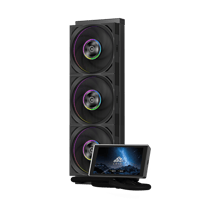
Chillblast fits the cooler to the heat load. The Spark 3D Pro and Ultra use a Noctua NH-U12A twin-fan air cooler; the Pyros, Forge and Synapse Node use a 360mm Chillblast Cryo Storm all-in-one (AIO) liquid cooler; the Threadripper-based Synapse Nexus and Frontier use a 360mm Silverstone AIO. The Vand and The Verge use a custom water loop, built to order, for the lowest temperatures and noise on long RTX 5090 renders (water-cooled PCs). Every system is stress-tested after it is built and before dispatch.
Which Chillblast workstation fits each 3D budget?
| Learning | View details | View product | |||
| 16GB entry | View details | View product | |||
| Professional | View details | View product | |||
| Dual GPU | View details | View product | |||
| 32GB flagship | View details | View product | |||
| 96GB | View details | View product |
When is an RTX 5090 or RTX PRO 6000 worth it for 3D rendering?
Step up when your scenes outgrow 16GB of VRAM, when render time is billed to clients, or when real-time archviz at 4K is the deliverable. The RTX 5090's 32GB covers most heavy production scenes. The RTX PRO 6000 Blackwell's 96GB is for scenes that fit nowhere else, or pipelines that need certified professional drivers.
The Shadowforge product page sets out the gap: the RTX PRO 6000 Blackwell has 24,064 CUDA cores and 96GB of memory, against the RTX 5090's 21,760 cores and 32GB. The extra cores add speed; the tripled memory is the real reason to buy. If your scenes fit in 32GB, the Pyros costs about a third as much. The Shadowforge ships with 64GB of system memory, so plan an upgrade with the business team if your scenes genuinely fill the 96GB card.
| Long RTX 5090 renders, lowest noise | View details | View product | |||
| CPU rendering plus 48GB GPU | View details | View product | |||
| Maximum cores and VRAM in one tower | View details | View product |
What should I check before buying a rendering workstation from any builder?
Five checks separate a dependable workstation builder from a box-shifter, wherever you buy: a named power supply and cooler, a sustained stress test, vetted component partners, a warranty that covers labour for years, and UK support from the people who built the machine. Compare builders on those, not on headline CPU names.
1. Named PSU and cooler. Every Chillblast system above lists its power supply wattage, rating and cooler; an unnamed PSU is the cheapest part to fail under render load.
2. Vetted parts, tested systems. Chillblast works only with component partners whose quality values and testing processes match its own, then stress-tests every complete system. The graphics card's board partner can vary at build time for supply consistency.
3. Labour years, not just warranty length. Chillblast's five-year warranty covers 3 years parts and labour on a collect-and-return basis, then 2 years labour on a return-to-base basis (warranty terms).
4. Delivery you can plan around. Every non-water-cooled Chillblast system is built and delivered within 7 days of order, or the next working day where the product page shows the next-day badge (the Forge and Ryzen 5 9600X builds do). Custom-loop systems are quoted individually.
5. Configuration for the workload. For studio, render-node or multi-seat orders, get in touch with Chillblast's business team at [email protected] and we'll work with you to build the exact build to fit your needs (business workstations).