

.png)

.png)






.png)
 (Custom).png)



.png)
Canon EOS C50 or Nikon ZR? How They Compare to the Sony FX3 for Filmmakers in 2025
September 15, 2025
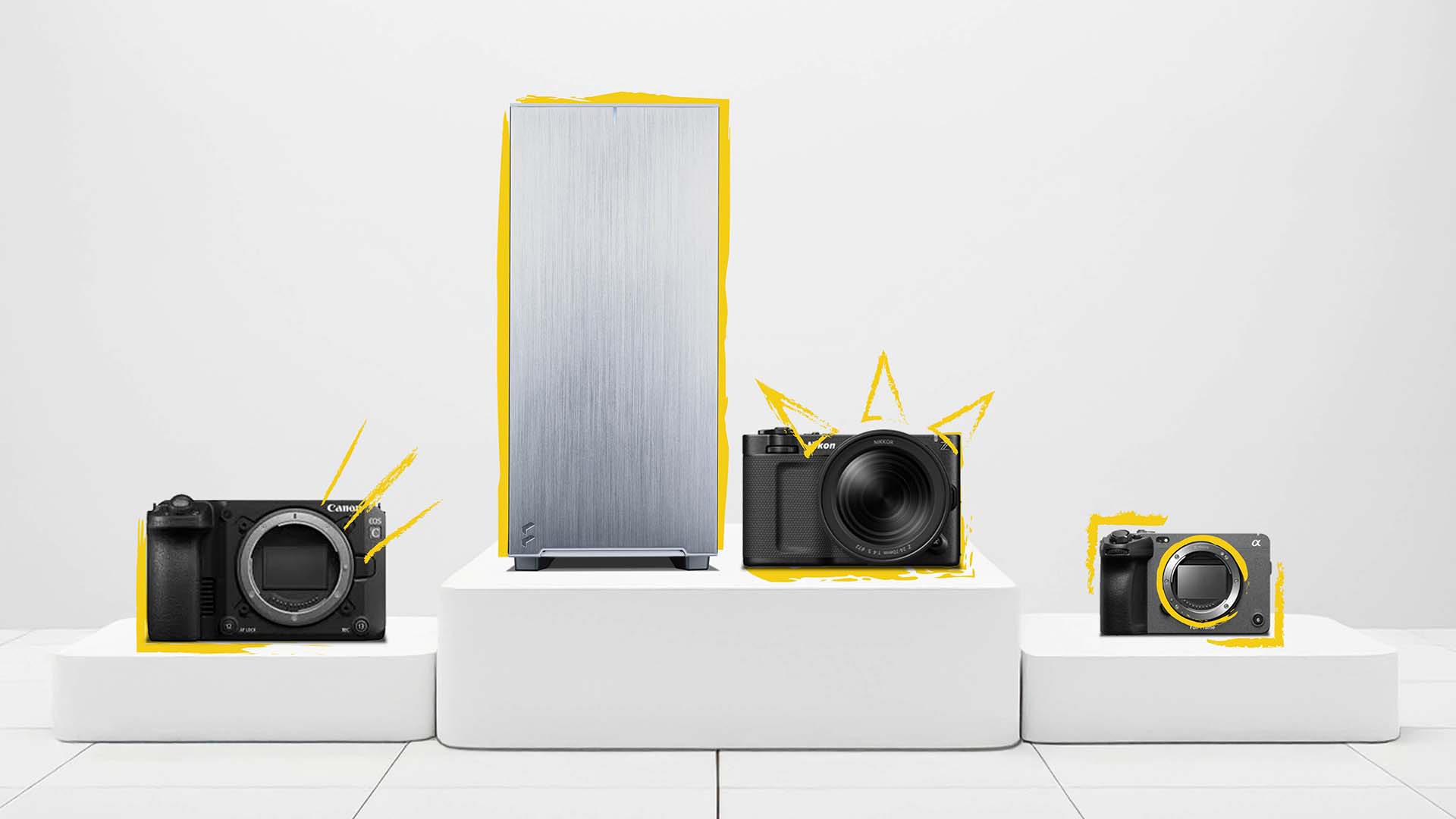
Introduction
The Sony FX3 has been a reliable workhorse in the compact cinema camera world since its launch in 2021. For a few years, it reigned virtually unchallenged in its class – a go-to choice for solo filmmakers and small crews due to its combination of full-frame 4K video, excellent low-light performance, and pro video features in a tiny body. However, the landscape is changing. Now, in 2025, both Canon and Nikon have entered the arena with strong contenders: Canon’s new EOS C50 and Nikon’s ZR cinema camera. This is exciting news for videographers. Suddenly, there are three excellent compact cinema cameras to choose from, each with its own strengths.
In this blog, we’ll compare the FX3, C50, and ZR head-to-head. We’ll explore what each camera is best suited for and who should consider each one. Then, we’ll tackle an often overlooked issue – editing all that high-resolution footage. We’ll introduce the Chillblast Spark Video Editing PC range, a lineup of computers built to handle the demanding 4K, 6K, and 7K files these cameras produce. By the end, you’ll not only know which camera fits your shooting style, but also which PC will keep your editing workflow smooth and frustration-free. Let’s dive in!
The Veteran and the New Challengers
Sony FX3: The Proven Workhorse
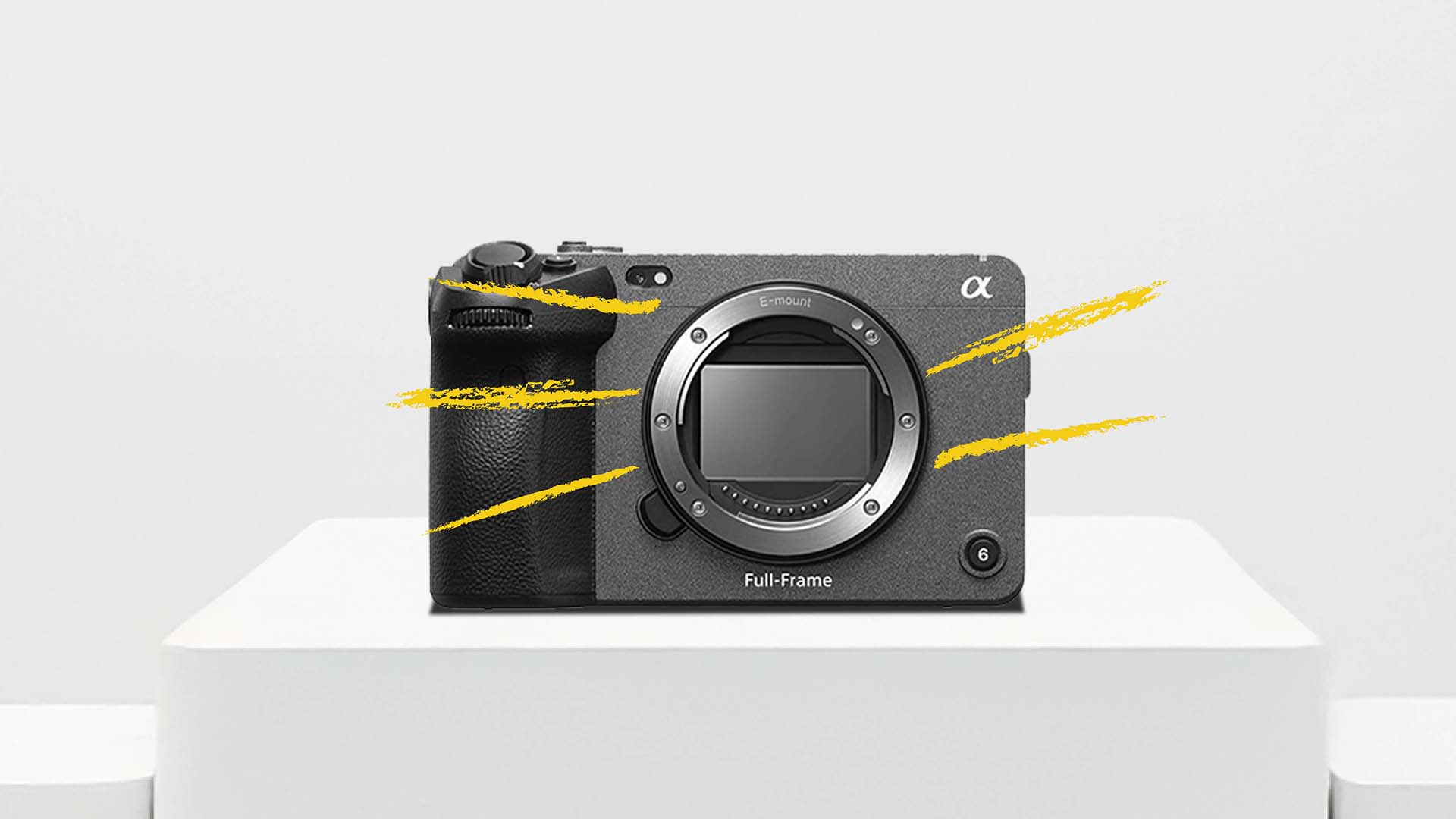
Sony’s FX3 has earned its reputation as a proven workhorse. It’s part of Sony’s Cinema Line, essentially packing the acclaimed sensor of the A7S III into a compact cinema-oriented body. Since 2021, the FX3 has been popular for its exceptional low-light performance (thanks to a 12MP full-frame sensor with dual base ISO) and fast, reliable autofocus. Videographers love how it just works – it’s small, rugged, and fits into gimbals or tight spaces with ease. It also benefits from Sony’s extensive ecosystem: E-mount lenses, attachments, and a familiar menu system for those already in the Sony family.
The FX3’s strengths are clear: it can shoot up to 4K at 120 frames per second for great slow motion, its in-body image stabilisation (IBIS) helps smooth out handheld shots, and it has professional audio inputs via an included top handle. Its autofocus with real-time tracking means solo shooters can keep subjects sharp without a focus puller. Reliability is another big plus – the FX3 has been battle-tested on countless projects, and you’ll find many satisfied filmmakers who have used it for everything from weddings to documentaries.
Of course, being the veteran, the FX3 is starting to show a few limitations compared to the new entrants. It maxes out at 4K resolution (oversampled from 4.2K, since it uses a 10.2MP sensor) – there’s no option to shoot higher than 4K or use an open-gate mode that takes advantage of the full sensor area. “Open-gate” video (using the full 3:2 sensor readout) is something the FX3 simply can’t do – its recordings are the standard 16:9 or DCI 17:9 aspect. Additionally, the FX3 does not record RAW internally. If you want RAW from an FX3, you have to output to an external recorder via the HDMI port. This means extra gear and complexity for those who need the ultimate image quality or flexibility of RAW in post. These omissions weren’t deal-breakers in 2021, but now in 2025, competing cameras are offering these features natively. Still, for many users, the FX3’s proven track record and all-around balanced performance keep it in the running. It’s a camera you know will get the job done with minimal fuss.
Canon EOS C50: The 7K Cinema Contender
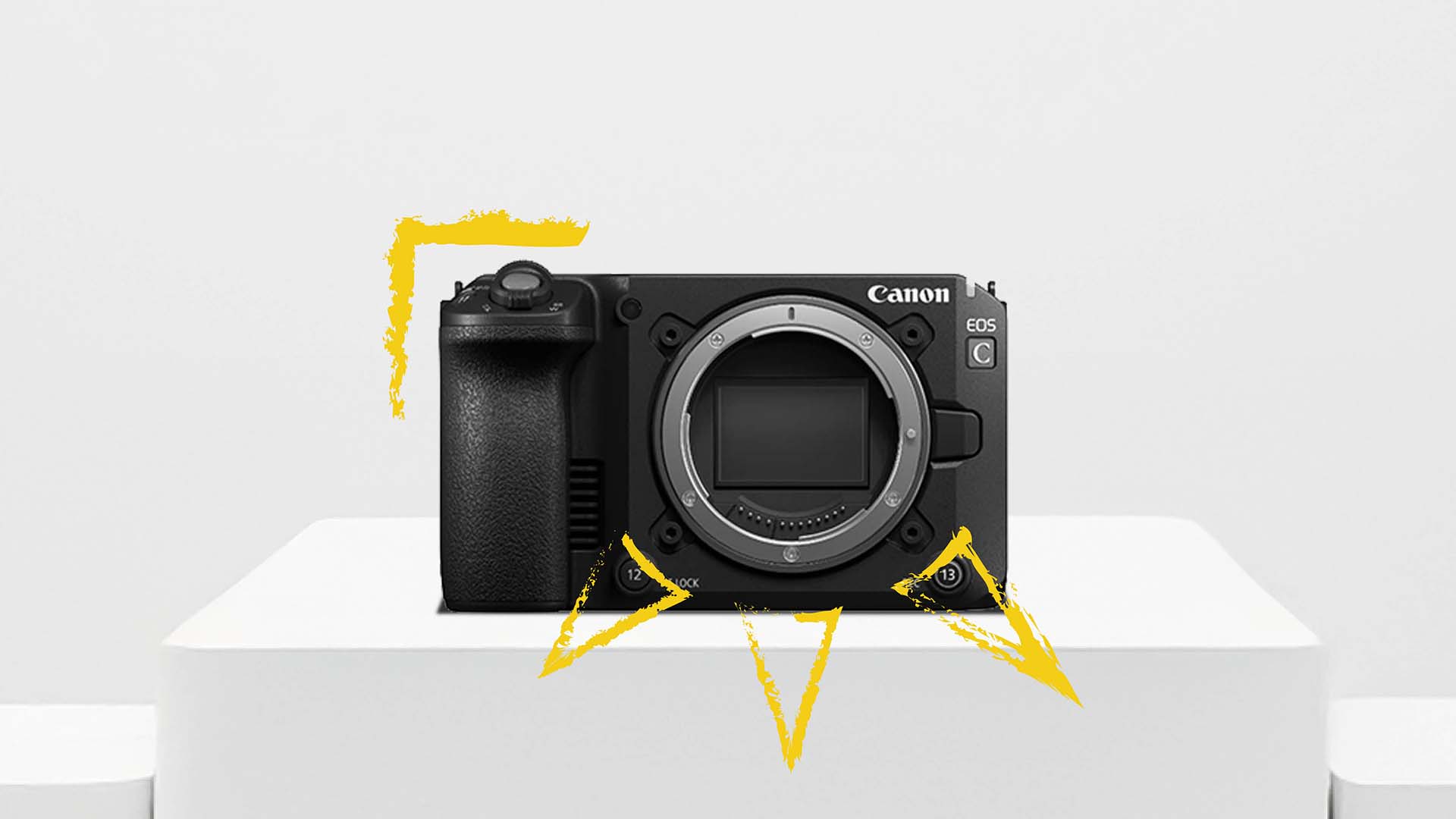
Canon’s brand-new EOS C50 is making waves as a serious 7K cinema contender. This camera arrives with some headline-grabbing specs that immediately set it apart. At its core is a new 32MP full-frame sensor, enabling up to 7K resolution video recording internally. Impressively, the C50 can shoot 7K in a 3:2 open-gate format, meaning it uses the entire sensor area. Open-gate recording has become popular because it lets you use the full height of the sensor (great for anamorphic lenses) and gives you extra flexibility to re-frame shots in post-production. In other words, you could film once and then later decide whether the final output is 16:9, vertical 9:16, or a cinematic widescreen crop – the 7K image has resolution to spare for cropping or stabilisation without losing detail.
Crucially, the EOS C50 also offers internal RAW recording (Canon’s Cinema RAW Light format) straight to a CFexpress card. This is a big deal for filmmakers who want the utmost quality and grading flexibility; you no longer need an external recorder to capture RAW as you would with the FX3. The camera supports up to 60p frame rate at full 7K, and can also do 4K at 120p for slow-motion, using an oversampled 4K mode for superb detail. Canon’s renowned Dual Pixel CMOS AF II is on board, providing excellent autofocus with subject (human/animal) detection, which is hugely helpful for solo shooters or small crews.
The strengths of the Canon C50 lie in its cinematic capabilities. The high resolution and open-gate mode make it perfect for cinematic narrative work, indie filmmaking, or any project where you might want to shoot with anamorphic lenses or do significant re-framing in post. The footage has that Canon colour science that many shooters love, and with 7K RAW you have a lot of latitude in colour grading. Essentially, Canon has positioned the C50 as a compact camera that doesn’t compromise on image quality or formats – it brings features previously found only on larger cinema cameras down into a run-and-gun size.
What’s the catch? Mainly, the trade-offs to keep it small. Notably, the EOS C50 lacks In-Body Image Stabilisation – there’s no IBIS at all (like many of Canon’s cinema cameras). This means if you go handheld, you’ll be relying on lens stabilisation or external stabilisers (like gimbals) to steady your shots. Canon likely omitted IBIS to avoid sensor shifting during rigorous cinema use and to keep the body compact. Additionally, the C50 doesn’t have a built-in viewfinder (again, to save size), and it forgoes internal ND filters that bigger Canon cinema cameras have. These limitations are worth noting: if you need rock-steady handheld footage out-of-the-box, or if you frequently shoot in situations where a built-in ND filter is a lifesaver, you’ll need to plan around those gaps (e.g. using an external ND filter or rig). Despite that, for many users the feature gains – 7K, RAW, open-gate – outweigh the missing bits, especially if you’re aiming for a true cinematic workflow in a small package.
Nikon ZR: RED-Powered Disruptor
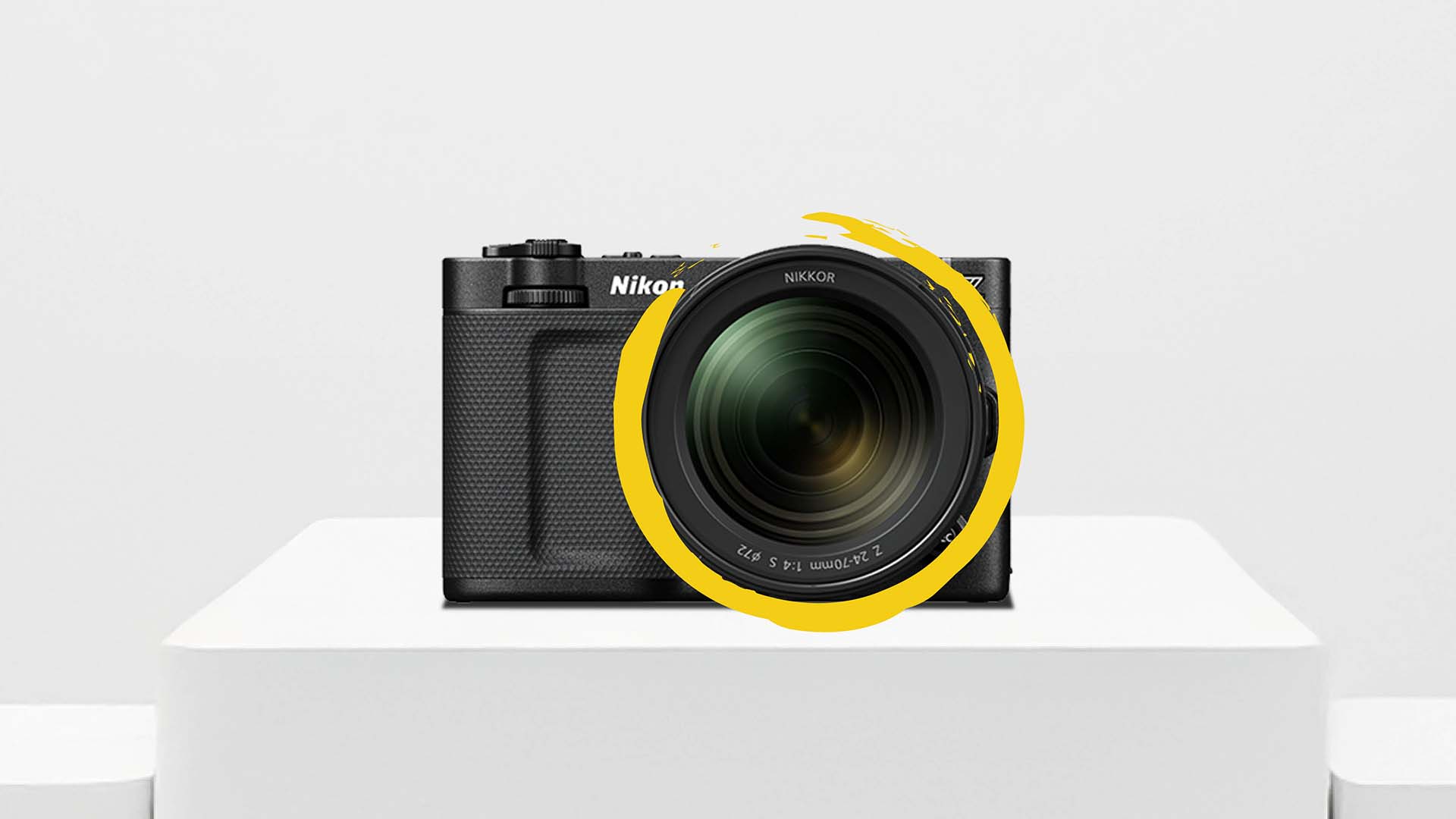
Perhaps the most surprising entrant is the Nikon ZR, a camera born from a partnership between Nikon and RED Digital Cinema. Nikon has never before produced a dedicated cinema camera in the modern era, so the ZR comes as a disruptor, and it’s grabbing attention by leveraging RED’s famed RAW video technology. The Nikon ZR features a full-frame 24.5MP sensor and can internally record up to 6K/60p RAW video. Uniquely, it uses a format called R3D NE (Nikon Edition) – essentially Nikon’s implementation of RED’s REDCODE RAW. This means the ZR’s footage uses RED’s colour science and compressed RAW codec, which is a huge plus for filmmakers familiar with RED workflows. You’re effectively getting a RED-style internal RAW in a camera that costs a fraction of a typical RED cinema camera. In fact, the Nikon ZR also supports other formats (like N-RAW and ProRes RAW), but the headline is that it’s the first mirrorless to offer internal RED RAW recording. This is a big deal for indie creators who want the dynamic range and post-production flexibility of RAW – especially those who might be collaborating with productions that use RED cameras, as matching footage will be easier.
Beyond the codec, the strengths of the ZR cater to event shooters and run-and-gun videographers. It has robust 5-axis IBIS (In-Body Image Stabilisation), rated up to about 7.5 stops of shake reduction. This is class-leading stabilisation, meaning the ZR is very steady for handheld shooting. For wedding filmmakers, documentarians, or anyone who often can’t set up a tripod, this is a godsend – you can get smooth footage while moving, without always needing a gimbal. The body design also favours solo use: it’s compact and notably includes a bright 4-inch vari-angle touchscreen monitor built-in. That screen is larger than what you get on the FX3 or C50 (those are around 3 inches), making it easier to monitor your shots, pull focus, or review footage on the fly. Nikon clearly aimed to make the ZR ergonomic for handheld operation, and the articulating screen means you can shoot high, low, or selfie-style if needed, without an external monitor. Another cool innovation is in audio – the ZR is the first camera to support internal 32-bit float audio recording, giving tremendous audio headroom for sound capture without clipping. It even has a fancy built-in mic system (with Nokia OZO audio technology) for high-quality scratch audio or even primary audio in a pinch.
One of the most remarkable aspects of the Nikon ZR is its price. At roughly £2,199, it’s significantly more affordable than the Canon C50 or Sony FX3 (which are closer to £3,2–3,9K). Nikon has positioned the ZR to be an accessible cinema camera, opening the doors for creators who perhaps found Canon or Sony cinema offerings out of reach. This affordability, combined with the RED-powered internals, is what makes the ZR a true disruptor in 2025.
Naturally, there are some weaknesses or compromises. Unlike the Canon C50, the Nikon ZR does not offer open-gate recording – it sticks to standard 16:9 (or widescreen) aspect ratios up to 6K. That means you don’t get the extra vertical area that open-gate provides for anamorphic or re-framing; for most people this is not a deal-breaker, but it’s a distinction to note if you had creative plans for 3:2 video. Also, while the ZR has decent connectivity, it has fewer pro ports than some higher-end cinema cameras. For example, it lacks an SDI output and instead uses a micro HDMI port for video out – a smaller connection that’s more fragile and not the full-size HDMI you might prefer on a rig. It also doesn’t have built-in XLR audio inputs (though you can get an adaptor for Nikon’s hot shoe to add them). Essentially, Nikon kept the body minimalist: great for compact use, but if you need lots of peripherals, you’ll be using adaptors or external add-ons. Lastly, as a new system, the ecosystem is unproven – Nikon’s Z-mount lens lineup is extensive for photography, but unlike Sony or Canon, this is Nikon’s first serious video-centric body, so things like dedicated third-party accessories or firmware maturity might take some time to catch up. Even so, the Nikon ZR is an impressive first effort and a tempting choice for anyone wanting handheld-friendly, high-quality 6K RAW on a budget.
Headline Specs Comparison
Let’s compare some of the key specs of these three cameras side-by-side:
| Camera | Max Resolution / FPS | Stabilisation | Open-gate? | RAW Options | Price |
|---|---|---|---|---|---|
| Canon EOS C50 | 7K/60p | No IBIS | Yes (3:2) | Cinema RAW Light (internal) | £3,299 |
| Nikon ZR | 6K/60p | IBIS (5-axis, ~7.5 stops) | No | R3D NE (RED RAW), N-RAW, ProRes RAW | £2,199 |
| Sony FX3 | 4K/120p | IBIS (5-axis) | No | External RAW via HDMI | £3,999 |
Table: A quick look at headline specs. The Canon C50 leads in resolution with 7K and open-gate capture, the Nikon ZR offers 6K plus strong stabilisation (and uses RED’s RAW format), and the Sony FX3 tops out at 4K but can do 120fps and has proven itself over time.
Choosing the Right Camera for Your Needs
With three excellent cameras now in this class, choosing the right one really comes down to your specific needs and shooting style. Let’s break down who each camera is best suited for:
Cinematic narratives & anamorphic projects
If you’re an indie filmmaker, commercial director, or anyone creating polished narrative content, the Canon EOS C50 is a dream. Its 7K resolution and open-gate capability give you maximum flexibility for cinematic work. You can shoot in a taller aspect ratio, which is perfect for anamorphic lenses (wider field of view and those lovely lens flares) or for reframing your shots later. The internal RAW means you’ll capture every bit of detail and dynamic range, which is ideal for heavy colour grading in post. In short, the C50 provides a “digital film” experience in a compact body – ideal for controlled productions, short films, music videos, or any project where image quality is the top priority and you have time in post to tweak the footage to perfection.
Event shooting, weddings, run-and-gun documentary
For videographers who need to move fast and shoot handheld, the Nikon ZR is a fantastic choice. Its class-leading IBIS and lighter weight mean you can reliably capture steady footage even when you’re on the move – think walking down the aisle behind a bride and groom, or following a subject through a bustling street. The ZR’s affordability also means it’s easier to have as a B-cam or to own multiple units for multi-cam event coverage. Importantly, you still get 6K RAW footage, so even though it’s cheaper, you’re not compromising on obtaining high-quality video. This camera is great for those who want a taste of the RED workflow on a budget – you can familiarise yourself with R3D files and how they grade, without investing in an actual RED cinema camera. If you often shoot live events, weddings, travel documentaries or anything where conditions are unpredictable and you can’t always set up perfect shots, the Nikon ZR’s combination of stabilisation, a big built-in screen, and robust codec options will suit you well.
Mixed projects and existing Sony users
If your work is a bit of everything – maybe one day a corporate interview, the next a short film, and then some YouTube content – the Sony FX3 remains a solid all-rounder. It’s especially appealing if you’re already invested in the Sony E-mount ecosystem (perhaps you have a collection of Sony lenses, or you also shoot on A7 series cameras). Everything will mesh seamlessly with the FX3. This camera is a trusted tool; you know exactly what you’re getting. It’s excellent in low-light scenarios (a big plus for documentary filmmakers or event shooters who don’t have the luxury of ideal lighting) and its reliability is second to none – no overheating dramas, well-developed autofocus, and sturdy build. The FX3 is a great choice if you need one camera that can handle various project types reasonably well, and if you prize a track record of stability. It might not have the absolute latest features like 6K or 7K, but 4K is still plenty for most deliverables, and the 120fps slow-mo and Sony’s picture profiles (S-Log3, etc.) give you creative flexibility. Also, for freelance videographers who work alongside other Sony shooters or need to match footage with cameras like the FX6 or FX9, the FX3 slots right in with matching colour profiles.
In summary, each camera shines in a different arena. The Canon C50 is for the cinematic perfectionist, the Nikon ZR for the agile shooter on a budget, and the Sony FX3 for the dependable all-rounder (especially if you’re already in Sony-land). Here’s a quick recommendation chart:
| Use Case | Best Choice | Why |
|---|---|---|
| Cinematic narratives / Anamorphic projects | Canon EOS C50 | 7K resolution and open-gate RAW offer maximum image quality and flexibility in post |
| Event / Wedding videography, Handheld work | Nikon ZR | Excellent IBIS for steady handheld shots + affordable 6K RAW (RED-based codec) |
| Mixed projects, existing Sony lens owners | Sony FX3 | Proven, reliable 4K performer with top-notch low-light and autofocus, fits perfectly in Sony ecosystem |
Table: Quick recommendations based on use case. Choose the camera that aligns with the kind of shoots you do and the features you value most.
The Overlooked Question: Editing the Footage
So you’ve picked your camera and you’re excited to start shooting high-resolution video. Now comes the often overlooked question: how are you going to edit all that footage? Capturing gorgeous 4K, 6K, or 7K video is only half the battle – the other half is what happens back at your desk, in the editing suite. High resolution and RAW video files put a huge strain on your computer system. Many videographers upgrade their camera and then discover their old PC is struggling or even unable to handle the new footage smoothly.
Think about it: 4K was already quite demanding on computers over the past few years. Now we’re talking about 6K and 7K RAW files. These files are larger and often less compressed, meaning your PC has to crunch a lot more data for playback and editing. You need a strong CPU (processor) to decode and scrub through footage without lag. You benefit from a powerful GPU (graphics card) to apply effects, colour grading, and to playback high resolution timelines. High-res footage also gobbles up memory, so plenty of RAM is essential (especially if you use proxy files or have multiple applications open). And let’s not forget storage: you’ll want fast SSDs for working drives to load those big files quickly, and lots of capacity (SSDs or HDDs) to store the footage archives. In short, editing 6K/7K video isn’t your typical home PC task – it’s the realm of workstation-grade computers.
This is where Chillblast comes in. We’ve developed the Chillblast Spark Video Editing Workstation range specifically for video editors and filmmakers. These PCs are pre-configured with exactly the kind of hardware you need to handle footage from cameras like the C50, ZR, and FX3. Instead of guessing whether a certain CPU or GPU will be enough, you can choose a Spark system that’s designed to take the heavy lifting off your shoulders. Let’s explore what each Spark workstation offers and how they differ, so you can find the perfect match for your workflow.
The Chillblast Spark Video Editing Range
Chillblast’s Spark Video Editing range is a lineup of PCs built from the ground up for video production tasks. We offer three main models – Spark Video Core, Spark Video Pro, and Spark Video Ultra – each tuned to different levels of editing demand and budget. All Spark systems share some common advantages crucial for editing: high-performance multi-core processors, dedicated NVIDIA RTX graphics, ample RAM, and fast storage solutions. They also all come with Windows 11 and our rock-solid 5-year warranty and support. But let’s look at what makes each one unique and who it’s best for.
Spark Video Core Workstation – Entry-Level for 4K Creators

The Spark Video Core Workstation is our entry-level (and most affordable) option in the range, but don’t let “entry-level” fool you – this PC is packed with power for 4K editing. Under the hood, it features an Intel Core i5 processor (from Intel’s latest generation) and an NVIDIA GeForce RTX 3060 graphics card. In plain English, that means you get a very capable mid-range CPU paired with a strong GPU that has 12GB of video memory, perfect for handling high-resolution video workloads. We’ve equipped the Core with 32GB of RAM, which is plenty for editing 4K timelines and even for handling larger projects with multiple layers or effects. For storage, the Core comes with a fast 2TB SSD (solid-state drive) as well as a 2TB HDD. The idea is that you can keep your active projects and software on the SSD for quick load times and smooth scrubbing through footage, while the HDD provides lots of space to archive your raw footage, exports, and backups (since video files can quickly fill up drives).
Who is the Spark Video Core for? We recommend this PC for those primarily working in 4K resolution or below. If you’re a YouTuber, a freelance videographer delivering in 1080p or 4K, or if you’re using a camera like the Sony FX3 (which tops out at 4K), the Core is an excellent match. It’s also a great starting point if you’re venturing into editing RAW footage for the first time – for instance, the Core can handle footage from the Nikon ZR or Canon C50 if you use proxy workflows (transcoding your 6K/7K RAW into lighter 1080p proxies for editing, which the system can do and then swap back to full quality for final export). The beauty of the Spark Core is that it provides smooth editing performance for typical projects without overspending on power you don’t need. It’s an enthusiastic workhorse for the up-and-coming creator. Whether you’re cutting together a wedding film from an FX3 or editing a short film shot in 4K, this PC will keep your workflow snappy and reliable. And if you ever decide to upgrade your camera or do more intensive work, you’ve still got a strong foundation (with options to add more RAM or upgrade the GPU down the line).
Spark Video Pro Workstation – Mid-Tier Sweet Spot
Stepping up a notch, we have the Spark Video Pro Workstation. This is the mid-tier sweet spot of the range and is arguably the best value for many semi-pro and professional editors who are dealing with more demanding footage on a regular basis. The Spark Video Pro is powered by a higher-end Intel Core i5-14600K processor. This CPU is a beast for its class – it has more cores and higher clock speeds than the standard i5 in the Core model, which means it can crunch through video encoding, effects rendering, and other CPU-intensive tasks even faster. In practise, if you’re exporting a lot of videos or applying heavy colour grades, that faster processor will save you time. The graphics card in the Pro is also a step up: an NVIDIA RTX 5060 Ti with 16GB of VRAM (video memory). The extra GPU power and memory come into play when you’re editing high-resolution content or using GPU-accelerated effects. For example, if you’re grading 6K footage or doing noise reduction, the RTX 5060 Ti will handle it with ease, providing smoother playback and quicker render times compared to the RTX 3060.
Like its smaller sibling, the Pro also comes with 32GB of DDR5 RAM, which ensures that multitasking (like running Premiere Pro, After Effects, and a web browser simultaneously) stays smooth. Where the Spark Video Pro really pushes ahead is in storage: it includes a spacious 4TB SSD as well as a 4TB HDD. The massive SSD means you can keep larger active projects on ultra-fast storage – this is particularly useful if you’re editing footage from the Canon C50 or Nikon ZR which can fill hundreds of gigabytes per project. Having 4TB of SSD space allows you to work off the SSD without constantly shuffling files around, and the additional 4TB hard drive means you have loads of room for long-term storage or backups.
So, who should consider the Spark Video Pro? We’d say power users and professionals working with 4K and 6K content. If you’re regularly editing Canon’s Cinema RAW Light files from the C50 or RED’s R3D files from the Nikon ZR, this PC is built to handle those formats smoothly. It’s ideal for freelance videographers, small production companies, or content creators who do a lot of post-production work and need a machine that won’t slow them down. It’s also a great choice if you do colour grading or work with log footage often, as the extra GPU muscle helps when applying LUTs or intensive grading nodes. In short, the Spark Video Pro is a robust all-rounder for serious editing workflows: it hits that balance where you get high-end performance but still at a sensible price. Most users stepping up from a basic PC will be amazed at how much faster editing tasks become on the Spark Video Pro – it really lets you focus on creativity rather than waiting for progress bars.
Spark Video Ultra Workstation – High-End, Future-Proofed Power
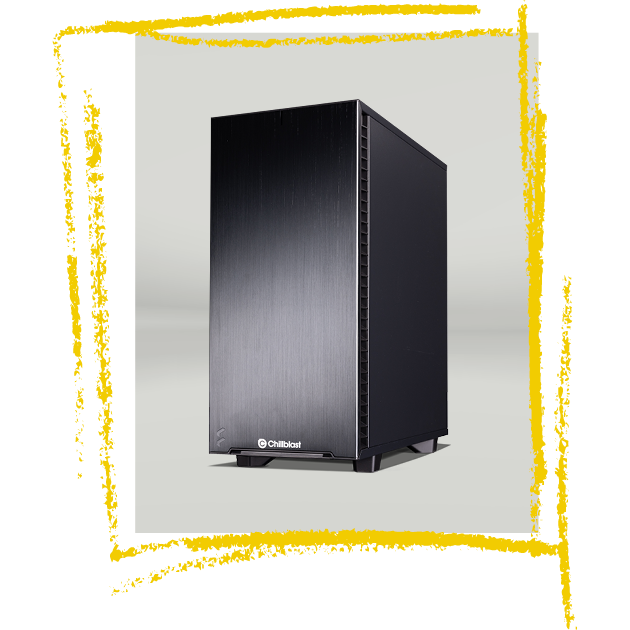
At the top of the range sits the Spark Video Ultra Workstation. This is our high-end, future-proofed editing machine – designed for filmmakers and studios who need as much power as possible for heavy workloads. The Spark Video Ultra is equipped with an Intel Core i7-14700K processor. The Core i7 in this rig is a step above the i5s, featuring more cores/threads and higher boost clocks, which translates to exceptional performance in multi-threaded tasks like video rendering, 3D effects, or encoding. If you’re the kind of user who might have Adobe Premiere, After Effects, DaVinci Resolve, and Photoshop all open together, this CPU handles that kind of multitasking with ease. It’s also great for timeline smoothness, even with multiple streams of 6K/7K footage, thanks to its raw horsepower.
Graphics-wise, the Ultra comes with an NVIDIA RTX 5070 Ti graphics card (16GB VRAM). This next-gen GPU is a true powerhouse. It’s capable of handling 8K video playback and editing to some extent, which means for 6K or 7K, it chews through those tasks without breaking a sweat. If your projects involve heavy motion graphics, high-resolution multi-cam edits, or lots of GPU-accelerated plugins, the RTX 5070 Ti ensures that you see real-time performance as much as possible, and when you hit export, it uses technologies like NVENC to encode your video blazingly fast. The GPU also keeps you ready for any new software improvements or codec support that might come in the future (it’s fully DirectX 12 and CUDA capable, etc.), hence we call this machine future-proofed.
The Spark Video Ultra, like the Pro, has 32GB of RAM and a dual drive setup of 4TB SSD + 4TB HDD. 32GB RAM is typically plenty even for complex projects, but the motherboard in this system allows further expansion if you ever needed it (say, to 64GB or more) – so it’s ready to grow with your needs. The 4TB NVMe SSD means even enormous projects (think dozens of hours of 6K raw footage) can reside on super-fast storage for active editing. And with an additional 4TB hard drive, you can offload completed projects or raw dumps there to free up SSD space, without needing external drives immediately.
Who needs the Spark Video Ultra? This machine is tailored for professionals working at the highest level of video production. If you are editing 7K RAW footage from the Canon C50 regularly, or doing finishing work on short films, documentaries, or even feature-length projects, the Ultra is up to the task. It’s also ideal for editors doing multi-cam work with multiple streams of 4K or 6K (for example, a live event with 4-5 cameras recording in 4K – the Ultra can handle all those streams in the timeline for syncing and cutting). For those into heavy colour grading and VFX, this PC will significantly speed up processes like rendering out noise reduction, complex fusion compositions, or Adobe After Effects sequences. Another group that benefits from the Ultra are future-focused creators – maybe right now you’re “only” in 4K or 6K, but you want a PC that will last you many years and be ready for the next generation of cameras or formats. The Spark Video Ultra gives you that headroom. In short, this is the no-compromise option – if you simply cannot afford slowdowns and want a machine that empowers you to create at the highest quality without waiting around, the Ultra is the answer.
Spark Range Comparison
To summarise the differences, here’s a comparison of the three Spark Video Editing PCs:
| PC | CPU | GPU | RAM | Storage | Best For |
|---|---|---|---|---|---|
| Spark Video Core | Intel Core i5-14500 | NVIDIA RTX 3060 (12GB) | 32GB DDR5 | 2TB SSD + 2TB HDD | 4K editing, HD/4K workflows (e.g. Sony FX3 footage), basic RAW editing with proxies |
| Spark Video Pro | Intel Core i5-14600K | NVIDIA RTX 5060 Ti (16GB) | 32GB DDR5 | 4TB SSD + 4TB HDD | 4K & 6K editing, RAW workflows (Canon RAW Light, Nikon R3D) with ease, faster renders |
| Spark Video Ultra | Intel Core i7-14700K | NVIDIA RTX 5070 Ti (16GB) | 32GB DDR5 | 4TB SSD + 4TB HDD | Heavy 6K/7K RAW editing, multi-cam projects, advanced colour grading, future-proof for higher resolutions |
Table: Key specs and ideal use cases for Chillblast’s Spark Video Editing PCs. All models come with high-speed DDR5 memory and a combination of SSD (for speed) and HDD (for capacity), but the processor and graphics scale up from Core to Pro to Ultra. Choose the one that matches the resolution/complexity of your projects.
As you can see, there’s a Spark PC tailored to different needs – from the solo creator working in 4K to the professional handling 7K RAW footage. And because these are Chillblast systems, they aren’t just raw specs on paper; each Spark workstation is built, tested, and supported by our team to ensure reliability under heavy workloads. They also run quiet and cool, so even when you’re pushing the hardware to render a long project, the system remains stable (no annoying overheating or throttling that could interrupt your work).
Matching Cameras with PCs: The Perfect Pairing
Now that we’ve looked at the new cameras and the editing PCs, let’s put it all together. To get the best experience, you’ll want to match the camera you use with a PC that can comfortably handle that camera’s footage. Pairing the right camera with the right Spark workstation can save you a ton of time and frustration in post. Here are our recommendations for the perfect camera+PC pairings:
| Camera | Recommended Spark PC | Why |
|---|---|---|
| Canon EOS C50 (7K RAW) | Spark Video Ultra Workstation | The Ultra has the top-tier CPU/GPU needed for 7K open-gate RAW footage. It will handle Canon’s 7K Cinema RAW Light files smoothly and speed up intensive tasks like 7K>4K downsampling, grading and multi-cam with C50 footage. |
| Nikon ZR (6K R3D RAW) | Spark Video Pro Workstation | The Pro is an excellent match for the ZR’s 6K RED files. Its powerful i5-14600K and RTX 5060 Ti can comfortably edit and grade R3D (Nikon Edition) footage. You get a fluid experience with 6K60p material and can leverage that 16GB VRAM for RED’s GPU-debayering and effects. |
| Sony FX3 (4K 120p) | Spark Video Core Workstation | The Core covers the FX3’s needs with ease. 4K 10-bit footage, even at 120fps, will play back fine on the Core’s i5 and RTX 3060. It’s an affordable choice that still gives you plenty of headroom for colour grading and editing Sony’s XAVC or external ProRes RAW (if you recorded it) at 4K. |
Table: Our suggested “camera + PC” pairings. Essentially, higher resolution/codec cameras need more powerful PCs. For 4K work (FX3), the Core is sufficient. For 6K RAW (ZR), the Pro hits the sweet spot. For 7K and heavy RAW workflows (C50), the Ultra is recommended.
By matching your camera with a suitably powerful PC, you ensure that your post-production process is as smooth as the shooting process. For example, if you invest in a Canon C50 to get gorgeous 7K footage but try to edit on an old or low-spec computer, you’ll likely run into slow playback, crashes, or insanely long export times – which can really hamper your creative flow. But with a Spark Video Ultra, you can work with that footage in real time, focus on your edit and grading without the machine holding you back, and finish projects faster. Similarly, a Nikon ZR paired with the Spark Pro means you can take full advantage of the camera’s capabilities (like playing back 6K RED files or using GPU-accelerated RED plugins) without your PC breaking a sweat. And for FX3 users, the Spark Core is a cost-effective way to ensure 4K editing stays buttery smooth and you can even dabble in higher-end workflows like RAW via external recorder if needed.
In short, the right PC completes the camera. It’s like having the right lens for a camera body – the combination unlocks the full potential. With the right pairing, you’ll spend less time waiting on rendering or dealing with proxy files, and more time bringing your creative vision to life. And of course, all the Spark PCs are general-purpose powerhouses too – beyond just editing, they’re great for graphics work, streaming, or whatever else you throw at them. So you’re investing in a rig that supports all aspects of your creative work.
Conclusion
The compact cinema camera market has never been more exciting. For a long time, the Sony FX3 held the crown almost by default – and it remains a fantastic camera, trusted by many. But now Canon’s EOS C50 and Nikon’s ZR have entered the scene in 2025 and truly shaken up the competition. Each of these cameras brings something unique: the C50 pushes resolution and cinematic features to new heights, the ZR delivers RAW power and stabilisation at an unprecedented price, and the FX3 continues to offer a balanced, dependable tool that many shooters know and love. The best choice ultimately depends on your projects – there’s no one-size-fits-all winner, but rather a “best for you” option.
Whichever camera you lean towards, remember that shooting is just the first step. In today’s 4K+ world, having the right editing PC is just as important as the camera itself. High-resolution and high bitrate workflows demand proper computing muscle. That’s why Chillblast’s Spark Video Editing PCs are such a valuable part of the equation – they’re purpose-built to handle these new cameras’ footage, ensuring that your creativity isn’t bottlenecked by technology. With a Spark workstation at your desk, you can focus on editing and finishing your story, confident that your system can keep up with your camera.
In summary, Canon, Nikon, and Sony now all offer amazing tools for videographers – it’s a great time to be a creator. Pair that awesome camera with a capable editing rig like the Chillblast Spark series, and you’ll be ready to produce your best work yet. Future-proof your filmmaking workflow by choosing the gear (both camera and PC) that empowers you to create without limits. Happy shooting – and happy editing!

Get Ready for Battlefield 6 – PC Requirements, Features & Best Builds
Explore Battlefield 6's features, PC requirements, and the best Chillblast builds to play it smoothly at 1080p, 1440p, or even 4K.

Cooler, Quieter, Faster: What Is a Water-Cooled Gaming PC?
Discover what a water-cooled gaming PC is, how it works, and why it’s cooler, quieter, and faster — plus explore Chillblast’s elite PC range.

RoboCop: Rogue City – Unfinished Business PC Requirements and Best Gaming PCs to Play It
Discover the PC specs for RoboCop: Rogue City – Unfinished Business and find the best Chillblast gaming PCs to play it smoothly.

Unleashing the Beast: Chillblast & Cooler Master’s RTX 5080 Limited Edition Gaming PC
Experience unmatched power with Chillblast's limited edition RTX 5080 PC. Custom GPU, elite cooling, and luxury design—built for those who demand more.